Easily stage home, property and real-estate photos with AI
Transform property photos fast. Stage empty rooms with furniture and decor, change wall colors to visualize options, remove distractions, and swap cloudy skies for sunny ones. Perfect for real estate photography, rentals, and marketplaces on web, iOS, and Android.

How to create great home staging photos?

Get instant results with AI Restyle
Get instant results with AI Restyle. It detects the room and applies your chosen style, decor, and color palette in seconds. Choose modern, minimalist, cozy, or luxury looks for consistent sets across a listing. You can also clear a room, switch to daylight, or generate a mood-board from any shot.
Edit with AI for custom decor and color
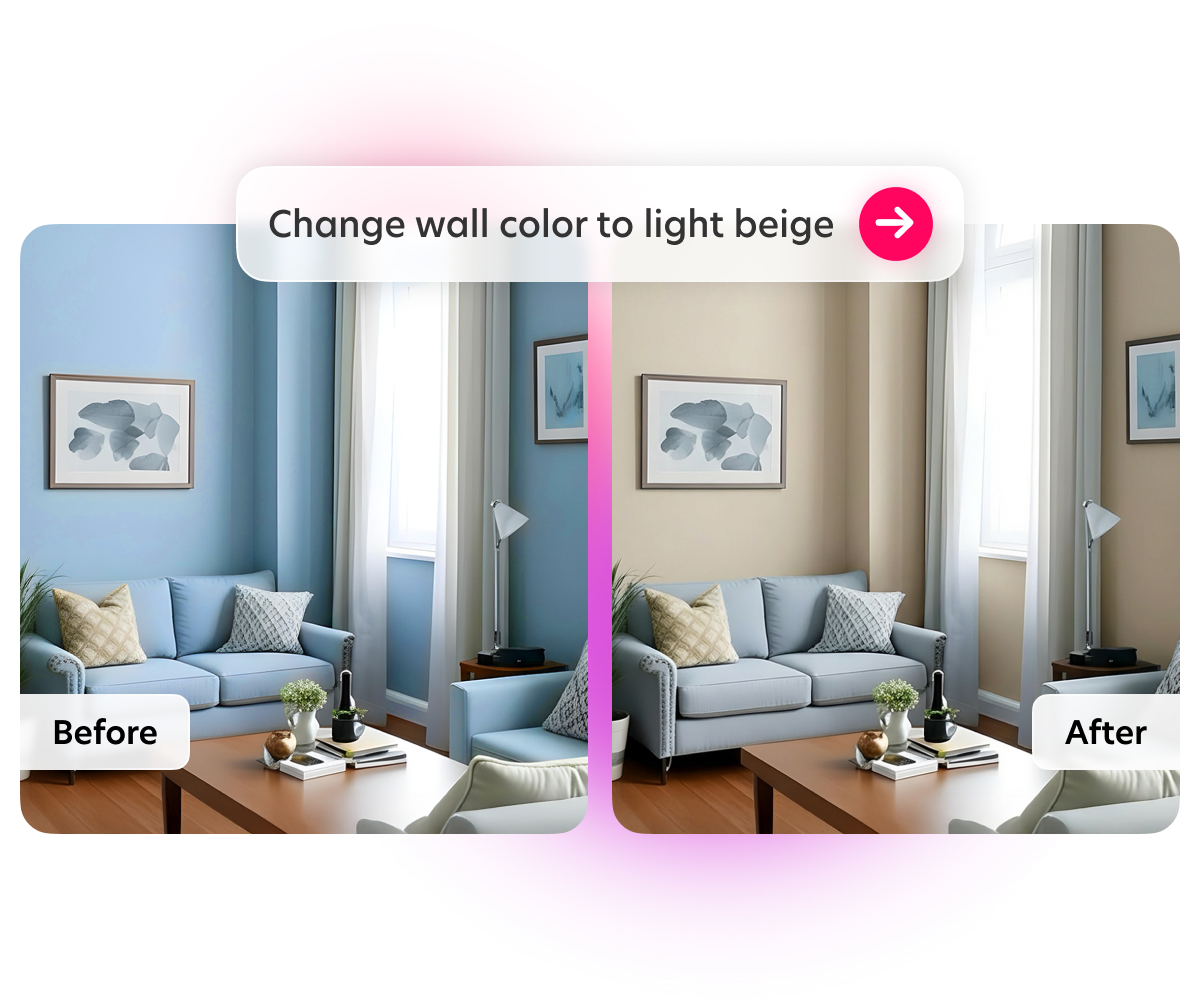
Have a specific brief in mind? Use Edit with AI to change wall and furniture colors, try flooring options, add or remove accessories and distractions, and set a sunny view with a short prompt. Keep the layout realistic while showing possibilities. It’s like having a magic wand!

Enhance image quality for pro results
Enhance uses AI to brighten dark interiors, balance highlights and shadows, sharpen details, and upscale resolution so your photos look crisp on desktop and mobile.
Remove unwanted objects and clutter
Clean shots help buyers focus on the space and better see the potential. Erase cars, people, trash bins, cables, stains, or moving boxes in seconds with Bazaart’s AI object remover.


Real estate templates for ads and socials
Drop your staged photos into designer-made real-estate templates for flyers, Instagram posts, and stories. Keep branding consistent and publish faster.
Questions? Answers!
It is a virtual staging workflow that adds realistic furniture, decor, and lighting to property photos. You get polished images that help real-estate listings stand out, without a physical staging and shoot.
Yes. Use Edit with AI to try paint colors, finishes, and flooring options. Keep changes realistic and disclose edits where platform rules require it. You can even add a rug to tie the room together.
Yes. You can remove objects first to clear distractions, then apply Home staging AI Styles to add decor that fits your target style and potential customers.
Start with sharp, well-lit photos taken straight on. Bazaart preserves perspective and adds natural shadows so staged furniture looks grounded. Finish with Enhance for crisp details.
Policies vary by region and platform. Many allow virtual staging with clear disclosure and without altering permanent features in a misleading way. Specifically, Airbnb does not allow AI staged photos. Check your marketplace guidelines before publishing.