
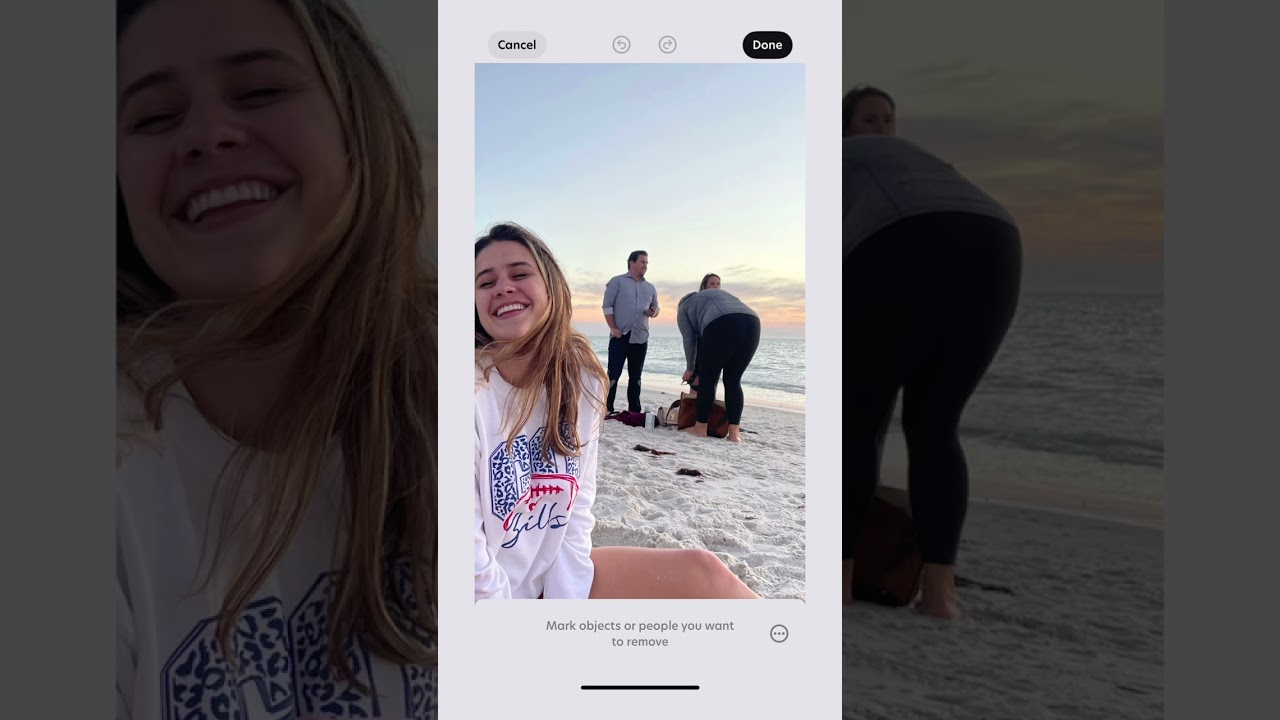
Click to load YouTube Short
Ever snapped the perfect shot… only to spot random strangers lurking in the background? We’ve all been there, and it’s a total vibe-killer, especially when you’re sharing content with fans, clients, or your online shop. Good news: you don’t need pro-level software (or hours of retouching) to get a clean, scroll-stopping image.
Bazaart’s Remove objects tool lets you erase unwanted people and objects in just a few taps. Let’s dive in and give your photos the spotlight they deserve.
Why a clean background matters
- Focus on what counts: Your product, your creativity, your story.
- Save time & money: No need to reshoot or hire an editor.
- Boost credibility: Professional-looking visuals build trust with audiences and customers.
Whether you’re a content creator, a small business owner, or simply the friend on “camera duty”, crisp backgrounds help your visuals shine.
Meet your design sidekick: the Remove objects tool ✨
Remove objects tool in Bazaart is like having a mini Photoshop wizard in your pocket. Highlight any distraction – tourists, trash cans, random exes and watch them vanish while Bazaart smartly fills in the missing scenery. It’s literally magic minus the wand.
Step-by-step: clean up a photo in seconds
Time needed: 1 minute
Here’s how to create studio quality product shots in seconds:
- Pick photo
Open Bazaart on your device and import the photo you want to fix.
- Tap remove
Tap or click the Remove (objects) tool. Zoom in to fine-tune the removal if needed.
- Mark the spots
Highlight every person or object you’d like to erase. (No need to be perfect; Bazaart’s AI is forgiving.)
- Done!
Release your finger or mouse and watch the background rebuild itself. Save your decluttered photo.
Mic drop 🎤 That’s it! The before-and-after will have you shook – like the creator in the video who couldn’t believe how natural her shot looked.
Pro tips for flawless edits
- Work in small strokes: Removing items section-by-section helps the algorithm stay accurate.
- Use pinch-to-zoom: Get up close for tight corners around hair or product edges.
- Add final touches: After cleanup, enhance quality, add text and graphics for a perfect design.
Creative ways to use Remove objects
Product photography 🛍️
Erase distracting shelf items and make your handmade candles the star of your Etsy thumbnail.
Travel content 🗺️
Share that bucket-list landmark minus the tourist crowd. Your followers will think you had a private tour.
Event recaps 🎉
Got an epic team-building photo but the catering cart photobombed? Gone in two taps.
Social media ads 💼
Minimalist visuals convert. Cut the clutter and keep your call-to-action front and center.
Level up your visual game today
You don’t need fancy gear or a design degree to create fire content. With Bazaart at your side, removing background distractions is fast, fun, and, dare we say, kinda addictive. So next time you capture a frame that’s almost perfect, remember: highlight, tap, and watch the distractions disappear.
Ready to try it yourself? Bazaart is available on web, iOS, and Android.
Get it for free, open a photo, and let your creativity run wild.
Join the community
Tag your cleaned-up creations with #MadeWithBazaart on Instagram or TikTok. We love spotlighting user stories and sharing tips to help everyone design like a pro.
Happy designing! 😁